
As we approach the 48hr Mobile Device Filmmaking Challenge, many will be jumping into the never-ending ocean of filmmaking for the first time. Even for the experienced, there is always something new to learn everyday. Cameras are becoming so technologically advanced that shooters are being given so many options, but some might not know the difference between all of them. With this blog article, I’d like to share some information about important topics that beginners can apply to their 48hr films and their next projects.
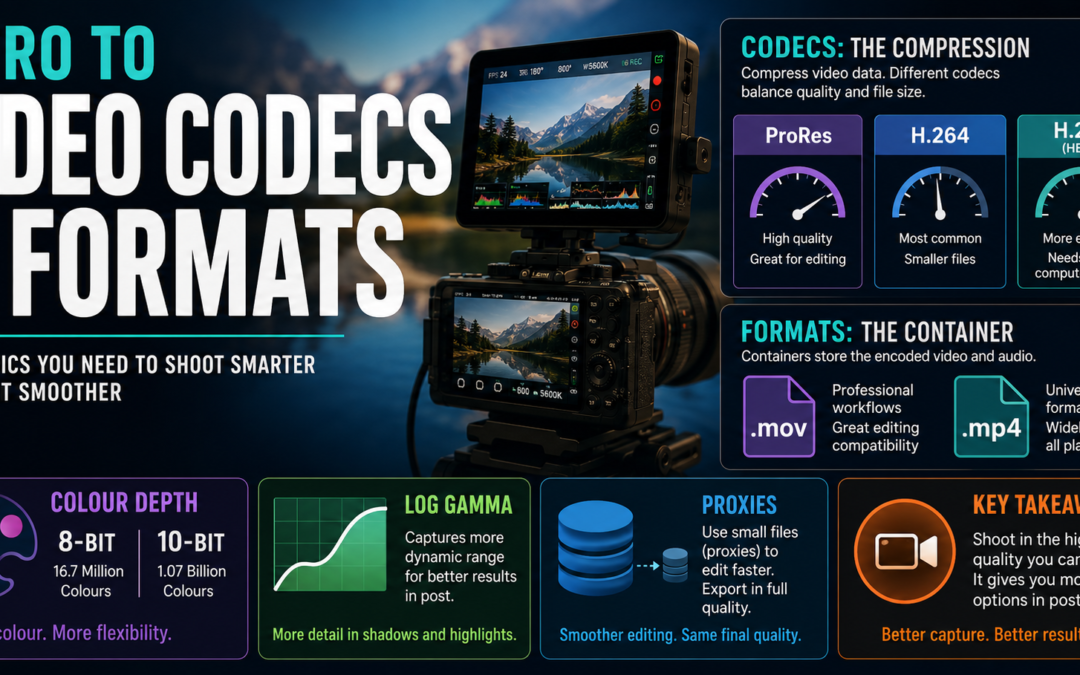
Video codecs and formats have a direct influence on your project’s post-production because they affect how your footage is captured in the camera and kept in the media storage. A video codec is the algorithm that hardware uses to process raw video signals from a camera’s sensor and compresses it into a video file, which can then be decompressed by a computer to playback. When the codec compresses the data, there is often a loss of information which results in a loss of quality, because when the file is decoded to playback, there isn’t enough information as the original, uncompressed file.
Video quality is determined by the amount of data being recorded (bit rate) and the codec that compresses the video. Some codecs, such as Apple’s ProRes, efficiently compress the video to keep high quality while still allowing a fast post-production workflow. Other common codec you might be familiar with are H.264 and H.265. The former is the most common compression codec because of its lower hardware power requirements for encoding/decoding, making it the ideal universal standard. A downside is that it has a high compression rate, therefore loses more data. The latter is a more efficient version of H.264, meaning it keeps more data, but requires more computer power to decode, making it tougher to work in post-production. Video formats, on the other hand, are the “container” which store the encoded video. Common formats you’ll see are .mov and .mp4.
Colour depth is another aspect that correlates with image quality. It refers to how many colours a camera can produce. 8-bit is a common spec and what you mostly see on online platforms, such as YouTube. It provides 256 shades of colour per RGB channel, up to 16.7 million. 10-bit colour is more seen in professional work, providing 1024 shades per RGB channel, up to 1.07 billion. Using 10-bit colour will give your image more data to work with, manipulating colours to your heart’s content. Another benefit from the extra data comes from using LOG gammas, which are shooting profiles that record wider dynamic ranges (darkest black and brightest wide) by squeezing the contrast and desaturating the image. More dynamic range means more colour you can work with.
It’s important to capture your footage in the highest quality you can afford, because when your video is encoded, you want to keep as much of the original quality as possible. Like I said before, however, working with high-quality footage can be difficult for a computer. So you might be asking: how can I have the best of both worlds? The answer is using proxies. Proxies are a duplicate, transcoded file or the original footage that is smaller in file size and quality, but allows your hardware to quickly decode which streamlines the editing process. With proxies, editors are able to edit footage using the proxy files, then export using the original footage quality.
For the 48hr Mobile Device Filmmaking Challenge, some of these options most likely won’t be at your disposal. Phones aren’t that advanced yet. However, you will be able to apply the technical knowledge from this blog, and your experience from the 48hr Challenge, into your future projects.